Describe an app.
Watch it get built.
AgentForge interviews you, turns the answers into a traceable specification, writes the application, drives a real browser over every journey, repairs what fails and ships it to the cloud. One tool, and you watch each useful step.
Free · one installer · it fetches Ollama, MongoDB, Node and Python for you
AGENTFORGE
Studio
- app/api/appointments/route.js
- app/(dashboard)/bookings/page.jsx
- lib/db/appointments.js
- tests/e2e/patient-books-a-visit.spec.js
61
requirements
104
tests passing
3
roles seeded
0
applications generated end to end
0
traceable requirements in one specification
0
unit tests passing after repair
0%
Lighthouse best-practices on a generated app
Software development is still fragmented
Four stages, four tools, and a person carrying the work between them. Every handoff is manual, and the work is repeated.
Requirements
its own tool
Coding
its own tool
Testing
its own tool
Deployment
its own tool
AgentForge is one tool that does all four, and hands nothing back to you half-finished.
From a sentence to a running application
Six stages, each one visible while it happens. Nothing is hidden behind a spinner and handed back as a finished pile of files.
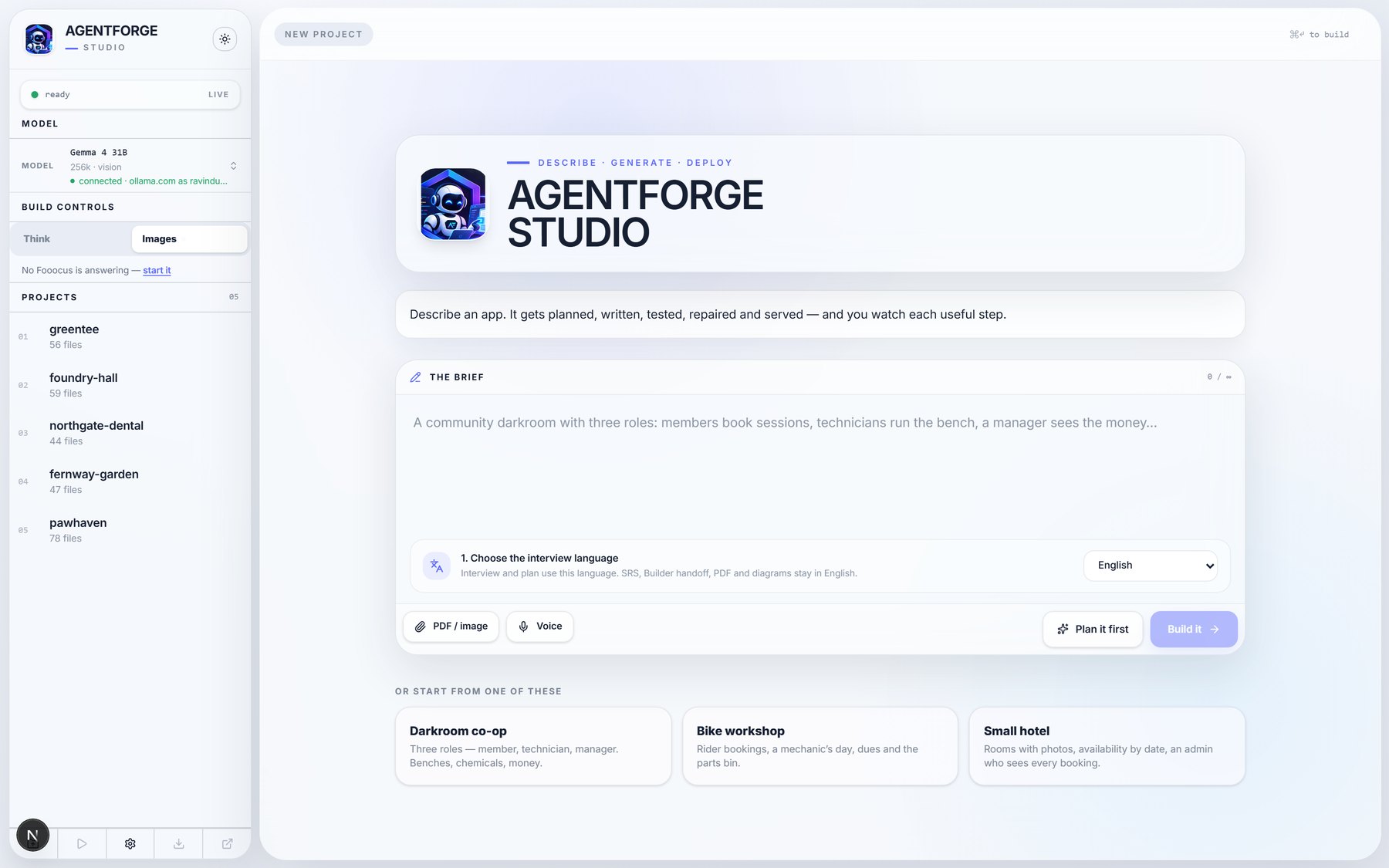
It interviews you first
Not a form. The agent asks what it still needs to know, and stops when the picture is complete.
27 answers over 9 questions
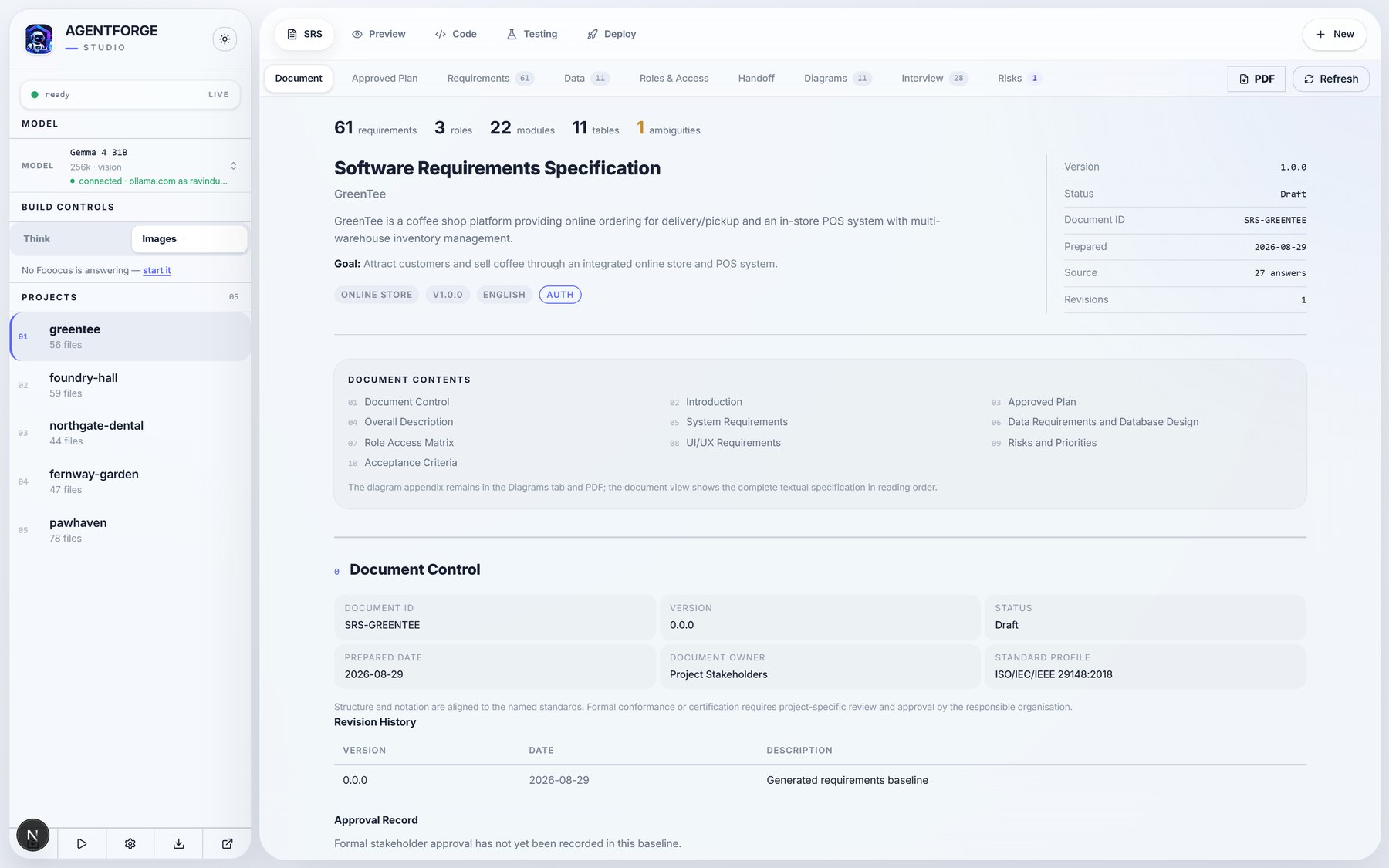
The answers become a specification
Numbered, traceable requirements against ISO/IEC/IEEE 29148, with the data model and the diagrams.
61 requirements · 22 modules · 11 tables
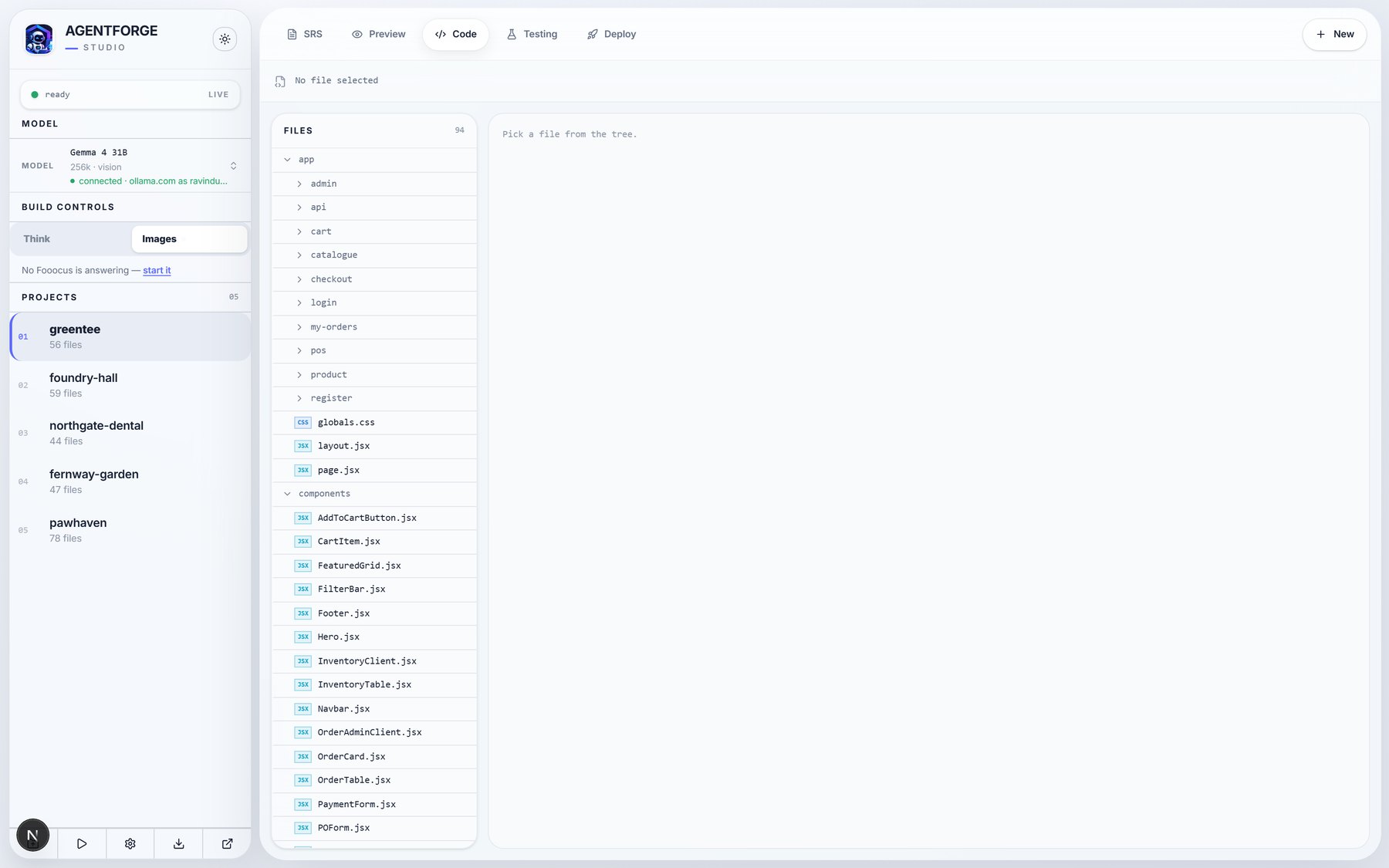
Then it writes the application
Routes, components, data access and the seed, generated to disk while you watch.
56 files for one coffee-shop platform
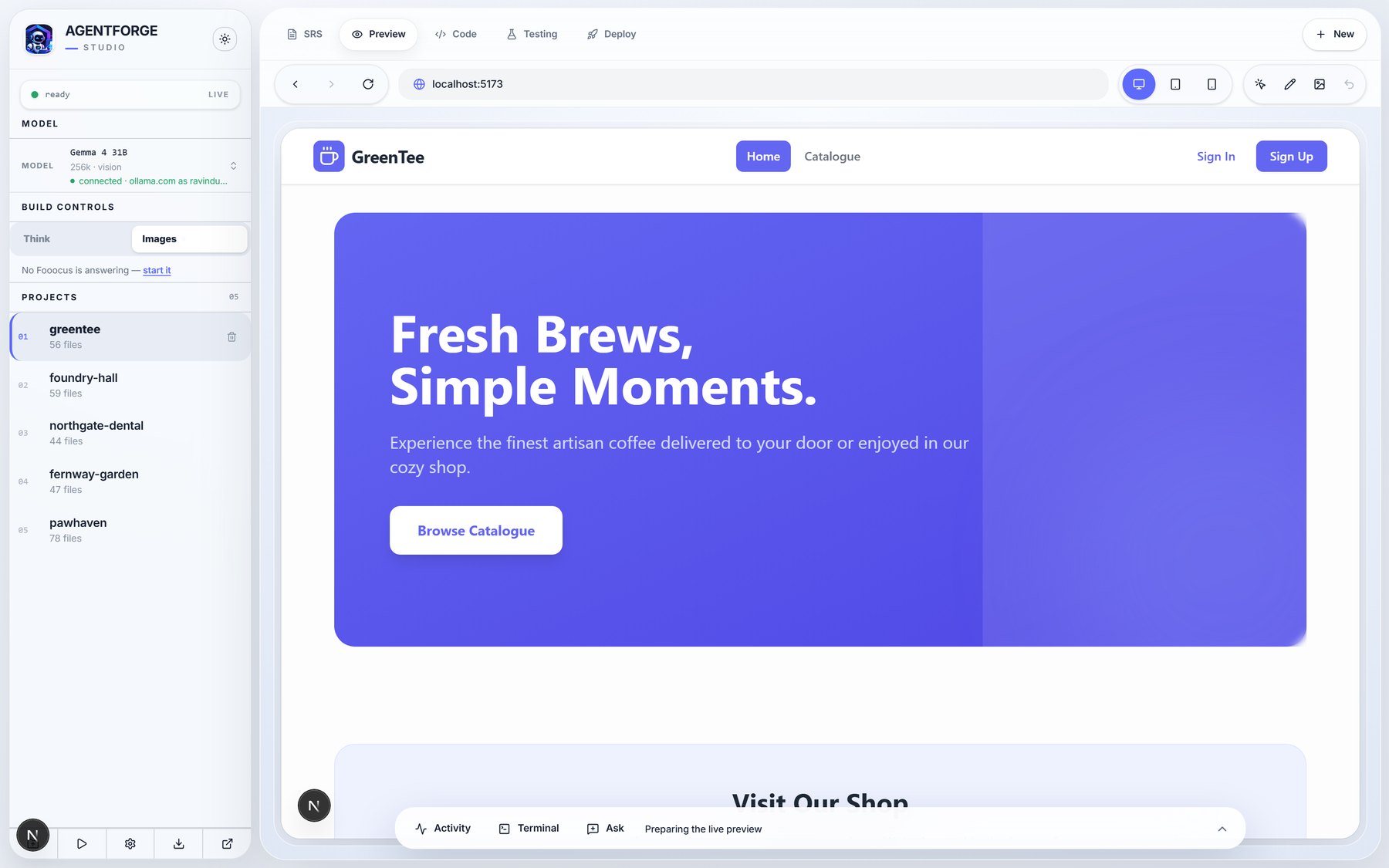
And serves it back to you, running
A live preview on your own machine, with the terminal, the activity feed and the agent one click away.
localhost preview, desktop and mobile
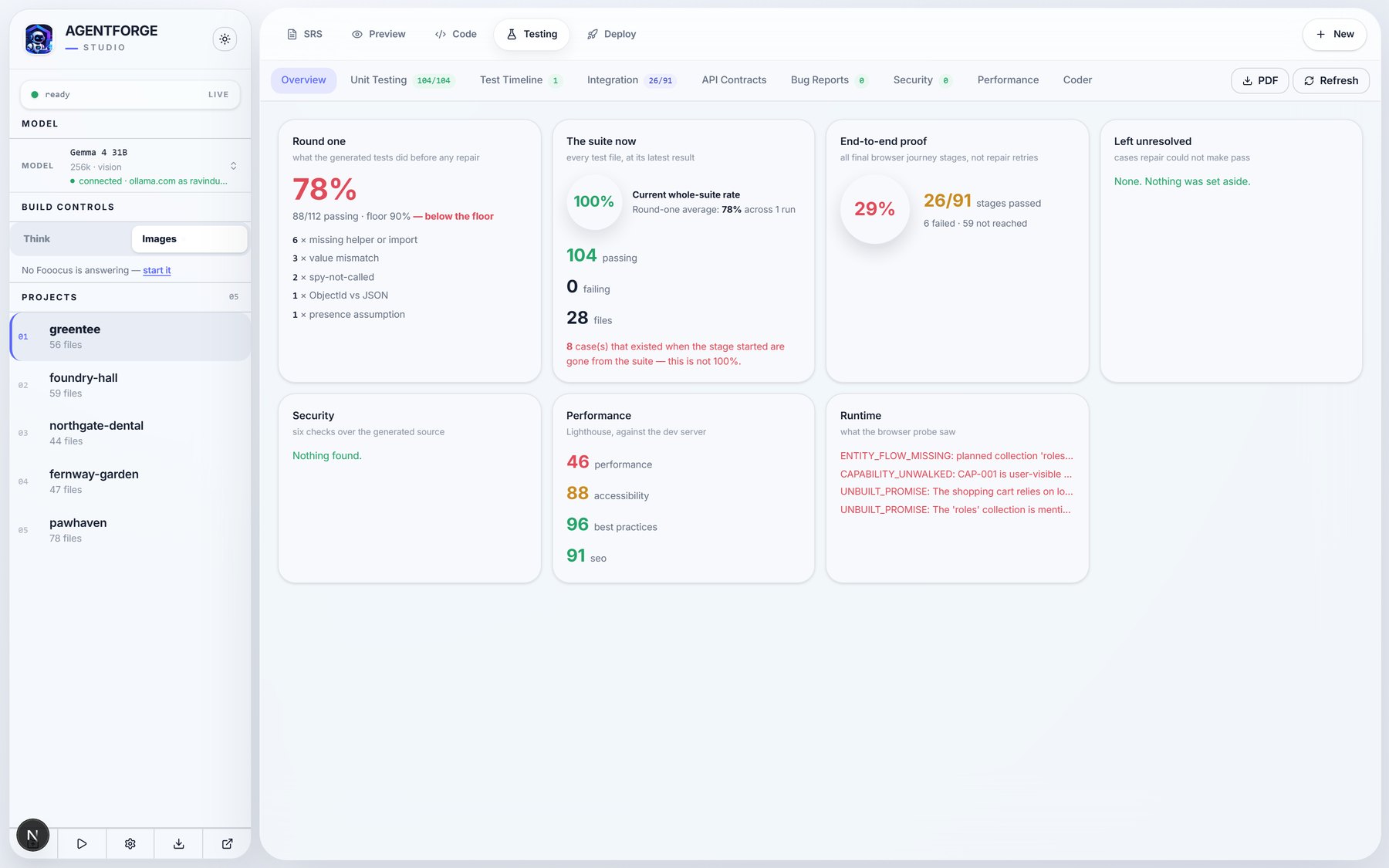
A real browser walks the app
Every planned journey is driven for real. What fails is analysed from the evidence and repaired.
78% on round one, 100% after repair
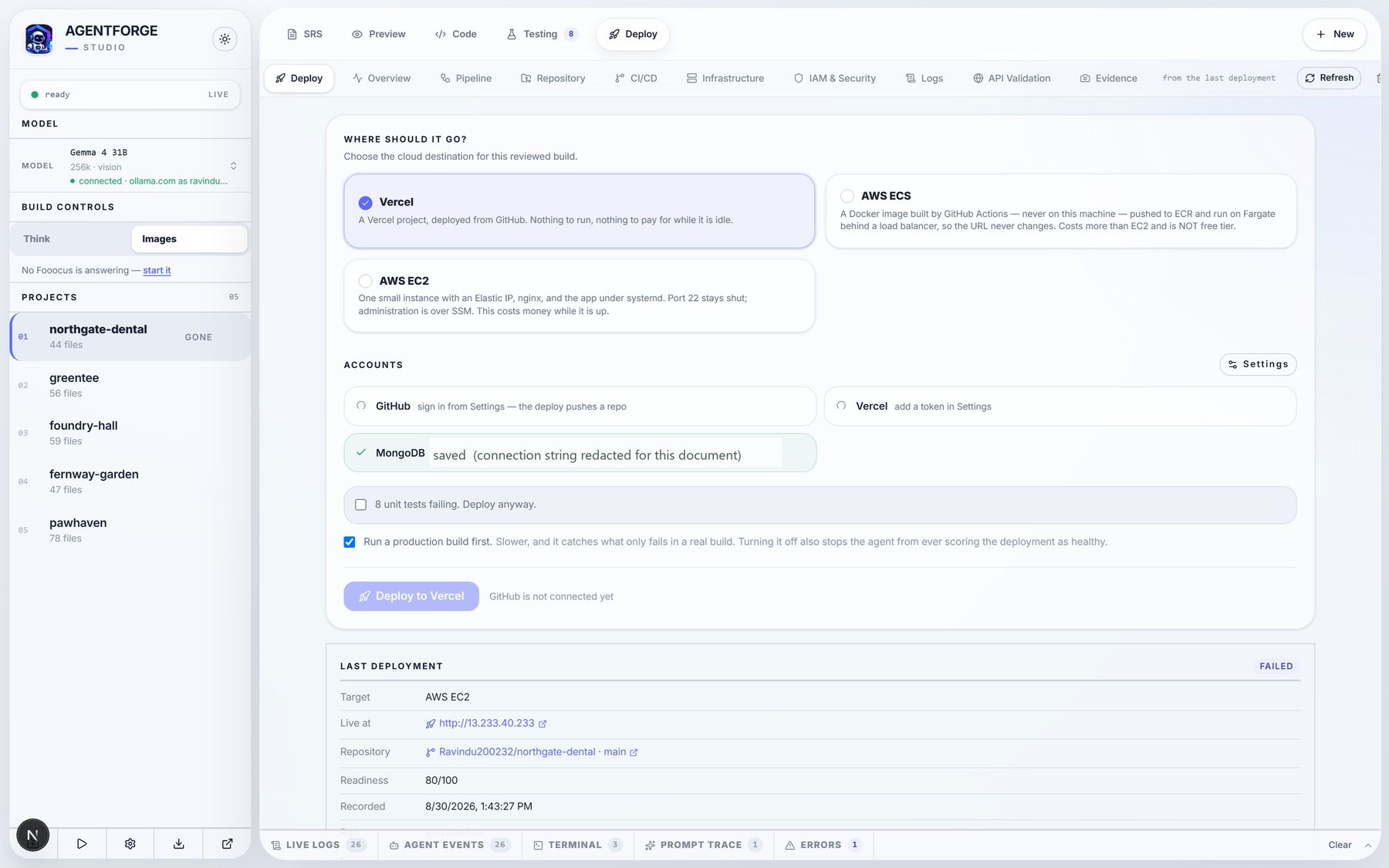
And it goes to the cloud
Infrastructure, workflows and secrets are generated, then the release runs and is checked.
Vercel, AWS EC2 or AWS ECS
The whole thing, in one window
Captured from the running system, not mocked up.
One installer.
It sets up the rest itself.
Run it, pick a folder, and open AgentForge. The first launch checks what is already on the machine and installs only what is missing — then starts the backend and the Studio for you.
- 1Checks the machineEvery tool above is probed first. Anything already installed is left exactly as it is — nothing is replaced, downgraded or reconfigured.
- 2Installs what is missingThrough winget where Windows offers it, and the vendor’s own installer where it does not. Each download reports its size and progress.
- 3Fetches AgentForgeThe application is downloaded from its latest release rather than carried inside the installer, so the installer stays small and a fix to the app does not mean downloading it again.
- 4Installs the packagesPython packages into a private virtual environment, Studio packages with npm. Nothing is installed system-wide that does not have to be.
- 5Starts itThe database and the model server come up, the Studio opens, and the window closes itself. The next launch skips everything already done.
AgentForge-Setup-2.0.1.exe · 79 MB · free
Installed for you, if you do not have it
- Ollamaserves the models, on port 11434
- MongoDBa local database, on port 27017
- Node.js 20+runs the Studio
- Python 3.11+runs the agents
- Gitversion control for what it builds
- GitHub CLIsigns in, and makes the repository a deployment pushes to
- Vercel CLI, Netlify CLIsign in to those from the Deploy screen
- AWS CLI, Azure CLIsign in and deploy to either one
- All packagespip and npm, in a private environment
Anything already on the PC is left exactly as it is. Nothing is replaced, downgraded or reconfigured behind your back.
Built by four people

Ravindu Subasingha

Nimthera Gunasena

Hamna Rahmathullah Hakeem

Malith Bandara